Sphero Indi Is a Tiny Robotic Car That Helps Children Learn Programming

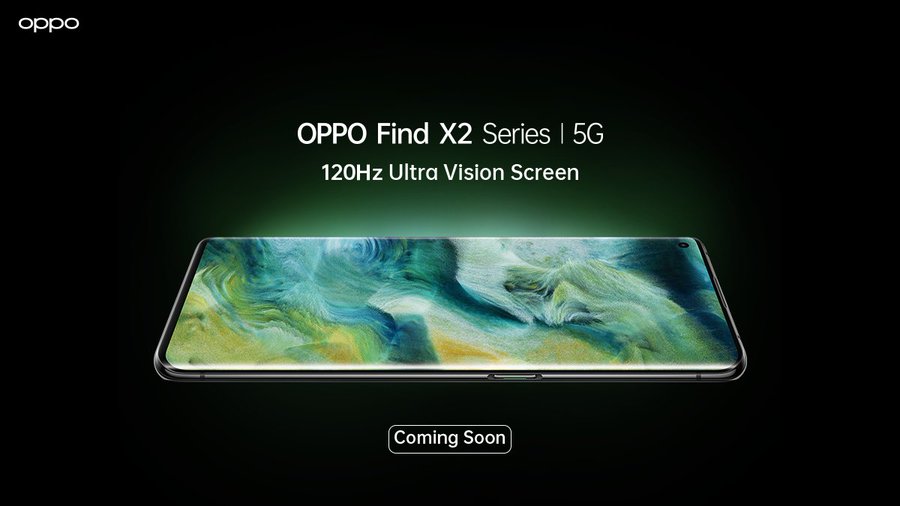
Oppo Find X2 Series Headed to India; Notify Me Page Goes Live on Amazon


Oppo Find X2 Series Headed to India; Notify Me Page Goes Live on Amazon

By Techtonic group

Oppo Find X2 series was unveiled in London back in March and has since made its way to China. But now, the Chinese giant is gearing up to bring the flagship Find X2 and Find X2 Pro to India very soon.

The official Oppo India account on Twitter teased the arrival of the Find X2 series in India. The tweet, attached below, does not give us a concrete date and only says that 'The #TrueFlagshipExperience is coming soon to India.' We can expect the upcoming phones to land in India by the end of May.

Oppo has also revealed that its upcoming flagships will be an Amazon exclusive. The company has set up a dedicated landing page for the Find X2 series on Amazon with the 'Notify Me' option in tow. Since the teasers mention the Find X2 series, we assume the company will launch both the Find X2 and Find X2 Pro in the country.

Oppo Find X2 series: Specs and Features

Oppo Find X2 series comes equipped with almost everything you are looking for in a flagship smartphone, except for wireless charging.

Both the Find X2 and Find X2 Pro are equipped with a 6.7-inch QHD+ (1440 x 3168) AMOLED display with 120Hz refresh rate, 240Hz touch sampling rate, and HDR10+ support. They also have a dedicated MEMC chip to upscale 30fps to 120fps and SD content to HD content - same as the OnePlus 8 Pro.

The Find X2 series is powered by the Snapdragon 865 chipset, coupled with up to 12GB of LPDDR5 RAM, 512GB of UFS 3.1 storage, and dual-mode 5G support. It's the camera and battery department where the two Find X2 devices differ from each other.
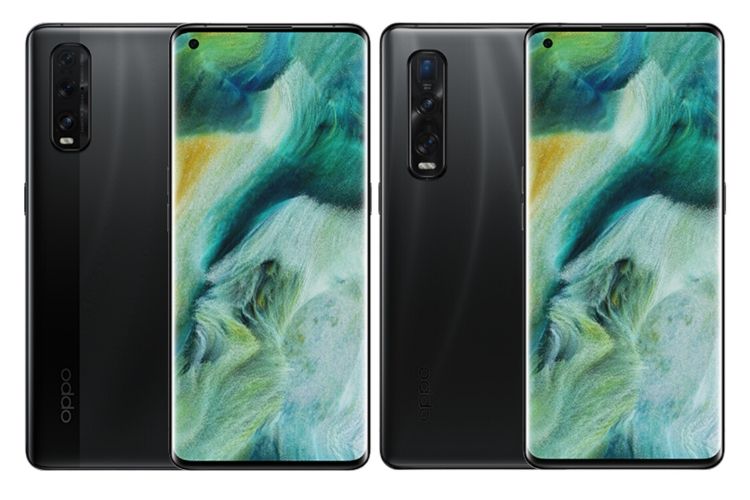
Oppo Find X2 renders leaked online

Find X2 Pro packs a triple camera system with a primary 48MP (f/1.7) Sony IMX689 sensor, along with a 48MP (f/2.2) Sony IMX586 sensor with a 120-degree FOV, and a second-gen 13MP (f/3.0) periscope-cum-telephoto camera with 5x optical zoom, 10x hybrid zoom and 60x digital zoom capabilities. There's dual-OIS support onboard as well.

The standard Find X2, on the other hand, boasts a triple camera setup with a primary 48MP Sony IMX586 sensor, paired with a 12MP (f/2.2) Sony IMX708 ultra-wide video camera, and a 13MP telephoto camera. You can head to this link to read about both the Find X2 and X2 Pro in detail.

As for the battery, Find X2 Pro comes equipped with a 4,260mAh battery whereas the standard Find X2 has a slightly smaller 4,200mAh battery. The best part here is that both devices support the company's 65W SuperVOOC 2.0 charging technology. It can completely juice up the device from 0% to 100% in around 30 minutes, which is great.

Oppo Find X2 series was priced starting at 999 euros (Rs. 81,800) in Europe, so it will be interesting to see how the company prices its flagships in India. It goes up against the likes of OnePlus 8 and Realme X50 Pro, and even Poco F2 Pro is expected to make a debut very soon, so Oppo Find X2 series will need to be priced a bit aggressively.

Comments

Popular posts from this blog

Here is the First-Ever Video That Was Posted on YouTube

Here is the First-Ever Video That Was Posted on YouTube By Techtonic group Fifteen years ago, on Valentines' Day of 2005, the domain name "www.youtube.com" went live. The following months saw developments of the website and the first-ever video on the platform was posted on April 23, 2005. The YouTuber who shared the video was none other than one of the founding members, Jawed Karim. The YouTube that we know now is a massive video streaming platform with innumerable audience members. However,  it is fascinating to see from where the platform started its journey . So, in this article, I want to talk about the very first video that was uploaded on the platform, and surprisingly, it still exists. So, the 240p, grainy video, titled "Me at the zoo", shows a 25-year-old Jawed Karim, one of the founders of YouTube, standing in front of a group of elephants at the San Diego Zoo.  The 18-second video went live on April 23, 2005, and it is still there with ove...

10 Best File Manager Apps for Android You Should Use

  Almost all Android smartphones   ship with a built-in File Manager app   today. However, not all OEM file managers offer the level of features and functionality that come with third-party apps on the Google Play Store. So today, we will tell you about the 10 best third-party file manager apps (often also referred to as file browser or file explorer) for Android. These apps will help you better organize your files and folders on an Android smartphone. Best File Manager Apps for Android (Updated May 2021) The best file manager apps on Android let you browse your files, find your downloads, manage your storage space, and more. There are plenty of file managers on Android, and most of them are free. While some of them offer you premium features for a small charge, others are ad-supported. So without any further delay, let’s check out the best file manager apps on Android. Table Of Contents  Note:  The apps mentioned in this article are meant for Android smartphone...

How to Remotely Access Your Raspberry Pi from Windows, Mac, Linux, & Chrome OS

  How to Remotely Access Your Raspberry Pi from Windows, Mac, Linux, & Chrome OS We have already written a detailed guide on  how to use a Windows laptop as a monitor for Raspberry Pi , and it requires a wired ethernet connection. However, if you want to remotely access Raspberry Pi from your Windows 10, Mac, or Linux PC, you can do so with Wi-Fi and VNC server. In this article, we also explain the steps to connect to your Raspberry Pi remotely from a Chromebook in detail. Even if you are a beginner, you can follow the instructions and get it running in a few minutes. So without any delay, let’s go through the tutorial. Remotely Access Raspberry Pi From Windows, Mac, Linux & Chromebook (2021) Before establishing a remote connection, you will need to connect Raspberry Pi to your computer through the  wired ethernet medium for a quick one-time setup . This is essential to connect the Raspberry Pi to your Wi-Fi home network. As a result, an IP address will be assigne...