macOS 12: Release Date, New Features, Supported Devices, and More
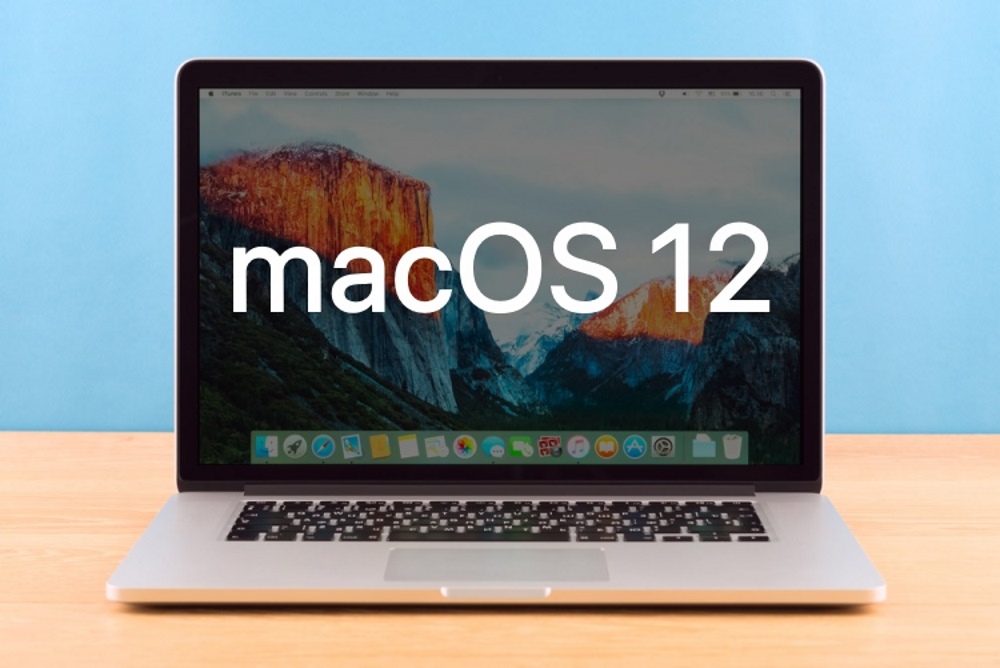
While iOS 15 may be at the forefront of rumors, macOS 12 is essentially one of the most awaited announcements at Apple’s WWDC developer conference each year. In the backdrop of unprecedented Mac sales largely due to the switch to Apple M1 chips and the rave reviews that M1 iMac has received, there couldn’t be a better time for Apple to take the macOS feature set to the next level. If you are wondering what the next iteration of Apple’s desktop OS has in store, we have got you covered with macOS 12 release date, features, compatible device list, and more.
macOS 12: Everything You Need to Know (2021)
As Apple is aggressively exploring life beyond Intel, macOS 12 will have a more visible imprint of Apple’s intention. Besides, what seemed to be a baby step in macOS Big Sur may play a larger role in the upcoming update. This includes an updated UI, redesigned control center, and especially Rosetta 2 emulation for better app compatibility in M1 Macs. But, you must be wondering how long will the Touch Bar survive, and will it ever be useful? Also, when will your Mac get the macOS 12 update? To unravel the answers to these questions, let’s dive right in!
Prospective Name: What is macOS 12 Called?
Back in 2016, Apple ditched the age-old “OS X” branding and adopted the macOS moniker to streamline the naming of its desktop OS in line with its other operating systems, including iPadOS, iOS, watchOS, and tvOS. So it is without a doubt that Apple will continue to use the macOS naming scheme to maintain uniformity.
Since 2013, Apple has been naming macOS updates after famous locations in California. Well, it all started with macOS Mavericks, and now we have several updates named after popular locations such as Yosemite (2014), El Capitan (2015), Sierra (2016), High Sierra (2017), Mojave (2018), Catalina (2019), and Big Sur (2020).

This time around, the three prospective names for macOS 12 that are doing the rounds of the Internet are:
- macOS Mammoth (Mammoth Lakes and Mammoth Mountain)
- macOS Skyline (scenic Skyline Boulevard)
- macOS Monterey (a historic city and popular beach vacation spot)
We can’t tell with certainty which one of these names Apple will eventually pick for the next iteration of its desktop OS. But, if we were to guess, macOS Mammoth seems (and sounds) to be the frontrunner.
macOS 12 Release Date
For the past several years, Apple has been unveiling the latest iteration of macOS alongside iOS, tvOS, and watchOS at the annual Worldwide Developers Conference. So, macOS 12 looks all set to be released at the much-awaited WWDC 2021 keynote on June 7.
As always, Apple will make the macOS 12 beta available to download for developers on June 7 right away. And the public beta will likely arrive by the end of June or the first week of July. You can check out the complete launch timeline right below:
macOS 12: Complete Timeline
- when is macOS 12 coming out? Apple will showcase and retail new macOS 12 features at WWDC 2021 on June 7.
- Release date of macOS 12 Developer Beta: The first developer beta will roll out alongside iOS 15, iPadOS 15, watchOS 8, and tvOS 15 on June 7.
- Release date of macOS 12 Public Beta: Apple is likely to release the public beta by the end of June or in the first week of July.
- Official Release of macOS 12: The Cupertino giant will officially launch macOS 12 for all users in September or October, possibly along with a new MacBook Pro?
Apple will release frequent macOS updates with many bug fixes, performance enhancements, and a handful of new features after the stable build rolls out in September/ October. We will regularly update this article with details about newly-added features in macOS 12.
macOS 12 Compatible Devices
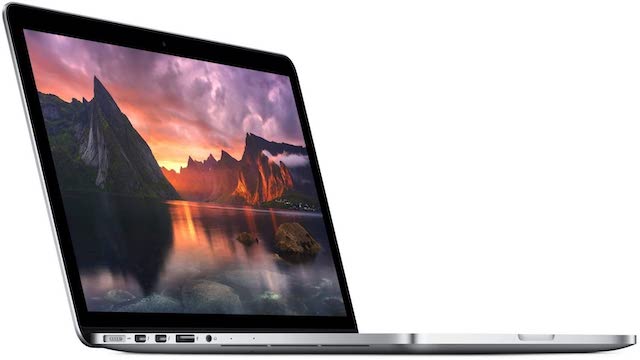
When macOS 11 Big Sur arrived last year, Apple removed several aging devices from the compatibility list. Big Sur was restricted to 2013 and later Mac models. So along the same lines, the list of macOS 12 supported devices will likely include 2014 and later Mac models. That means Apple’s upcoming desktop OS update will pull the plug on another generation of nearly decade-old Macs.
List of Macs, MacBook Pro, and MacBook Air models that are likely to support macOS 12:
- MacBook (2015 or later)
- iMac Pro (2017 or later)
- MacBook Pro (2014 or later)
- Mac mini (2014 or later)
- MacBook Air (2014 or later)
- iMac (2014 or later)
- Mac Pro (2014 or later)
macOS 12 Features (Rumored)
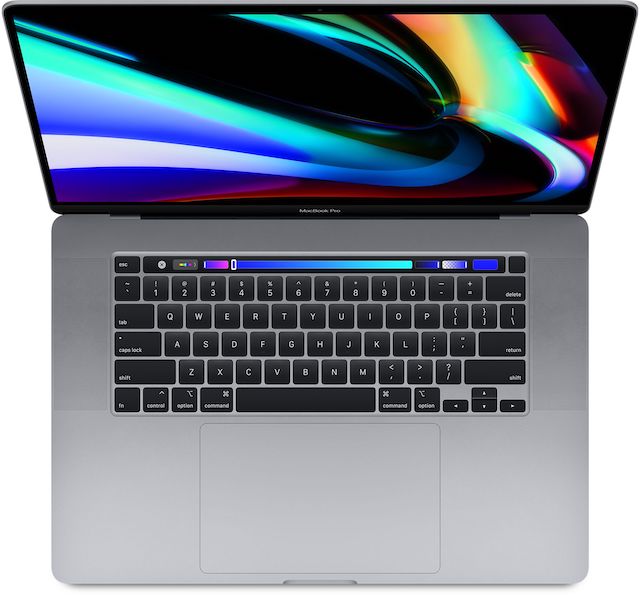
Though Apple has successfully kept macOS 12 features under the wraps, a few changes seem to be on the cards. As the removal of the Touch Bar in MacBooks seems more or less likely, Apple might introduce an alternative to Touch Bar that would allow for quick access to shortcuts. An equivalent set of shortcuts in the menu bar or a pop-up window could help make up for the loss and a smooth transition away from the Touch Bar.
Another change that is likely to grace macOS 12 is a design overhaul. With macOS Big Sur, Apple made some notable design revamps, including the iOS-style Control Center and skeuomorphic icons for a unified look. Considering that users appreciated upgrades in Big Sur, we might see new app icons in line with iOS and iPadOS. The company might also refine the inset borders with an enhanced 3D depth.
As expected, we would most likely see several privacy and security enhancements. “Today, we have a level of malware on the Mac that we don’t find acceptable and is much worse than iOS,” said Craig Federighi, Apple’s Senior VP of software engineering, at the recent Epic vs Apple court hearing. So we can expect the company to patch some of these shortcomings with its next desktop OS version. Also, we can learn about Find My upgrades to support AirTags, new iCloud and iMessage features, and more.
We Can’t Wait to Go Hands-On with macOS 12
So, that’s everything we know about macOS 12 so far. Rest assured, we will regularly update this article with the latest leaks, rumors, and other details that are likely to come with the next iteration of macOS. Besides, we will also dig into the forthcoming macOS 12 update to reveal all the exciting features and hidden tricks. Therefore, do stay connected with us for WWDC 2021 launch coverage and more.
By the way, what do you expect from macOS 12? Have you made a wishlist of features that you would love to see in Apple’s next desktop OS update? It would be great to hear your thoughts on the next macOS version.
-by Techtonic Group
Comments
Post a Comment