
Reliance Jio has been prepping to take on popular online grocers, including the likes of BigBasket and Amazon, in India for the past five months. It first talked about JioMart back in December last year, with a pilot run kicking off at select pin codes in Mumbai last month. Now today, JioMart has debuted its online grocery delivery service in 200 towns and cities across India.
JioMart was referred to as 'Desh ki Nayi Dukan' when it was first launched last year. The service enables you to purchase groceries and daily essentials via its website. The service isn't available on mobile right now but we can expect JioMart mobile apps to launch sooner rather than later.
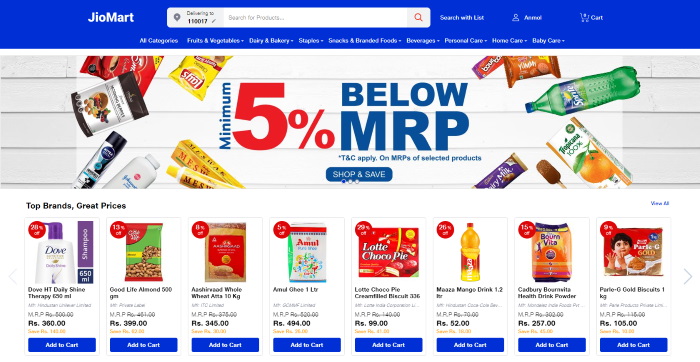
"We offer you the convenience of shopping everything that you need for your home – be it fresh fruits & vegetables, rice, dals, oil, packaged food, dairy item, frozen, pet food, household cleaning items & personal care products from a single virtual store," reads the official website.
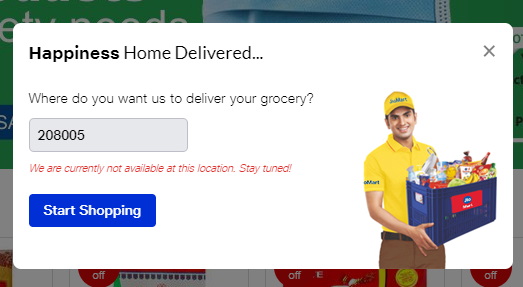
Now, you must be wondering - how do it check if JioMart is available at my location? Well, it is very simple. Just click the 'Delivering to' option next to the search bar, enter your pin code to see whether it's serviceable or not. If JioMart delivers to your address, you will see the name of your city pop-up in green. Else, you will see an error message saying - "We are currently not available at this location. Stay tuned!"
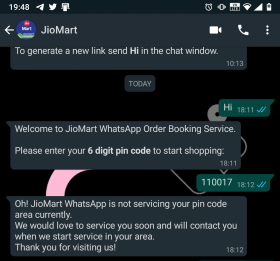
A feature that will come in handy for a lot of users is 'search with list' and as the name suggests, it lets you pen down your entire shopping list and look up each item in one swift go. Also, if you remember, JioMart is accessible via WhatsApp but not at all pin codes. My pin code is not serviceable via the messaging service, as you can see in the screenshot below.
JioMart: Is It Any Good?
JioMart is now accessible at my location in New Delhi. So, it was only natural for me to check out the service. The web interface is quite intuitive and I did not face any hiccups there. You can browse all categories, delve deeper into them, and access each product page from the website with ease. You'll need to sign up, with your phone number and e-mail address, to begin the process.
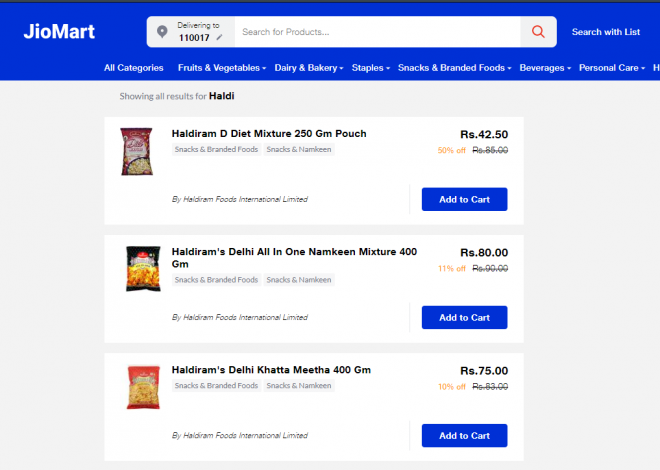
The search algorithms still need some work as searching for 'Haldi' (turmeric in Hindi) did not return results related to turmeric at top. Instead, the website displayed search results for Haldiram, a renowned snack brand in India.
The service has debuted in New Delhi today but the product catalog seems flush with almost everything that you might need during the lockdown. We can expect the same to grow over the coming months, going head to head with Prime Now, BigBasket, and Grofers down the road.
Delivery and Payment Methods
The delivery part is where I'm a bit skeptical about the service. JioMart does not offer concrete delivery dates or any slots like its competitors. Instead, it only says that your order will be delivered in the next two days. You can jump into your account and keep track of any updates related to delivery.
"We will try to deliver your order in the next two days, however, due to the current surge in orders it may be delayed further. Our teams will be [in] touch with you regarding your order," says the order page. I will update you when I receive my order and if there's any updates to the delivery process.
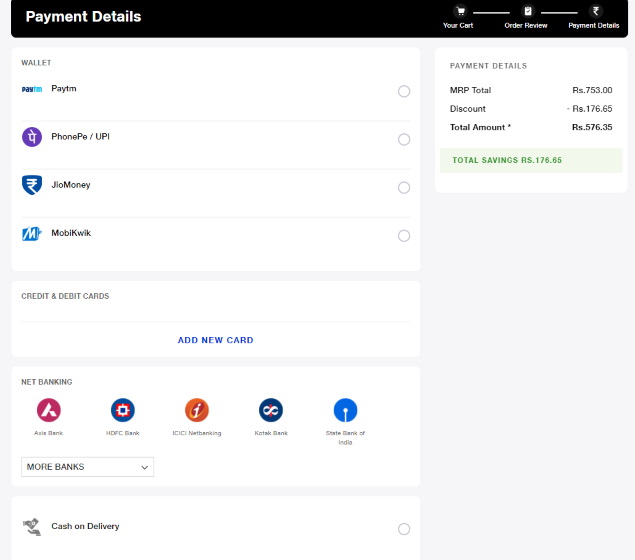
As for the payment methods, JioMart includes a wealth of options for completing the order. You can either rely on JioMoney, PhonePe, Paytm, and Mobikwik if you prefer using your digital wallet. Else, you can also use netbanking and credit/ debit cards to place the order. JioMart is also offering 'Cash on Delivery' service, which is one of the most used payment methods across India.
So, if you can't find a slot on Grofers or BigBasket, you could give JioMart a try and see whether it serves you better or not. The service should go live in more cities and towns across India in the coming weeks, so stay tuned if it's not yet available at your location.
Comments
Post a Comment