
MIUI 12 Global Launch Set for May 19
By Techtonic group
Xiaomi took the wraps off its next-gen Android skin, MIUI 12, in China earlier last month. The latest software update brings a cleaner UI, privacy upgrades, Mi Health, Super wallpapers, and a lot more in tow. Xiaomi rolled out MIUI 12 beta for Chinese users the same day while global users have eagerly been waiting for an update with bated breath.
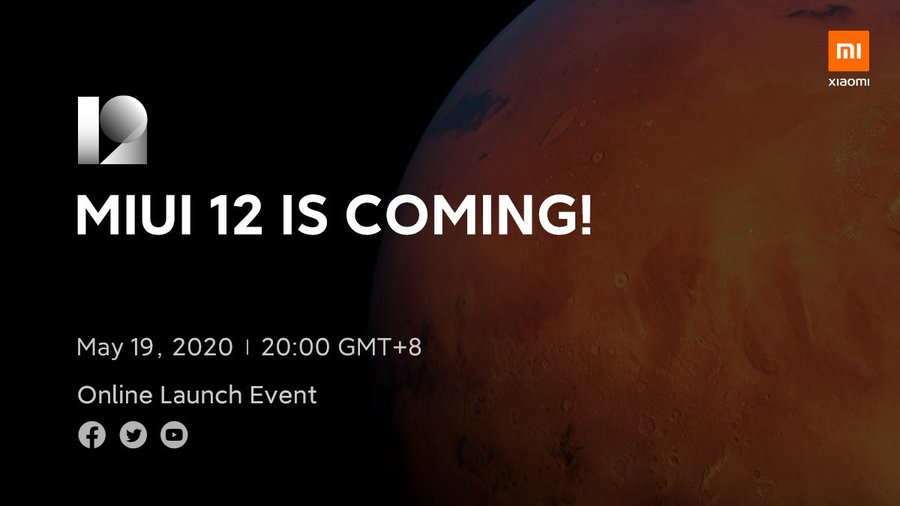
Today, Xiaomi has confirmed that the MIUI 12 global launch has been scheduled for 19th May (i.e. Tuesday next week). The company first teased the date via a puzzle last week but it's only today that the launch date was confirmed via an official tweet from the @miuirom account. It will be an online event due to prevailing conditions across the globe.
MIUI 12 is a massive update for Xiaomi's popular Android skin. It is based on Android 10, which is the latest version of Google's mobile OS, and brings a slew of amazing new features. The biggest user-facing changes are the data visualizations, fluid animations, a separate quick setting menu and notifications center, and a lot more. The gesture navigation is now more in line with Google's implementation and floating windows that support any app is now a thing as well.
Xiaomi has also taken necessary steps to offer more privacy and security features in MIUI 12. These include Flare, Mask system, and Barbed Wire. You can head about them right here, along with other new features in MIUI 12. We also compiled the 8 best MIUI 12 features in a video on YouTube, so you can check that out as well.
So, if you want a recap of the coolest new features in MIUI 12 and learn whether your device will get the update or not, then don't forget to tune in to the live stream on 19th May at 5:30 PM IST (or 5:00 AM PT, 8:00 AM ET).
Today, Xiaomi has confirmed that the MIUI 12 global launch has been scheduled for 19th May (i.e. Tuesday next week). The company first teased the date via a puzzle last week but it's only today that the launch date was confirmed via an official tweet from the @miuirom account. It will be an online event due to prevailing conditions across the globe.

MIUI 12 is a massive update for Xiaomi's popular Android skin. It is based on Android 10, which is the latest version of Google's mobile OS, and brings a slew of amazing new features. The biggest user-facing changes are the data visualizations, fluid animations, a separate quick setting menu and notifications center, and a lot more. The gesture navigation is now more in line with Google's implementation and floating windows that support any app is now a thing as well.
Xiaomi has also taken necessary steps to offer more privacy and security features in MIUI 12. These include Flare, Mask system, and Barbed Wire. You can head about them right here, along with other new features in MIUI 12. We also compiled the 8 best MIUI 12 features in a video on YouTube, so you can check that out as well.
So, if you want a recap of the coolest new features in MIUI 12 and learn whether your device will get the update or not, then don't forget to tune in to the live stream on 19th May at 5:30 PM IST (or 5:00 AM PT, 8:00 AM ET).
Comments
Post a Comment